wg8 App – Download APK & Install on Android
The wg8 app puts cricket betting, live casino tables, slots, and fast bKash deposits right on your phone. Free to download, works on Android 6.0 and above. Scan the QR or tap the button below to get the APK file directly.
Download the wg8 App APK
Get the official wg8 APK directly — no app store needed. The file is clean, verified, and installs in under two minutes on any Android phone running version 6.0 or later. Version 2.7.18 · 52 MB · Free.
What You Get with the wg8 App
Everything from the full wg8 website, optimised for your mobile screen. Faster load times, push notifications for match alerts, and one-tap bKash deposits.
Cricket & Sports Betting
Bet on BPL, IPL, T20, and ODI matches live as they happen. Markets update in real time. Place a bet in seconds via the app's streamlined bet slip — no page reload needed during live play.
Live Casino Tables
Join Baccarat, Roulette, and Blackjack rooms powered by Evolution, Sexy Gaming, and Ezugi. High-quality video streams run smoothly on 4G. Minimum bets start from ৳1, so any bankroll works.
Slots & Crash Games
Over 2,000 games from KA Gaming, Habanero, Spribe, and more. Crash titles like Aviator-style games load instantly. Filter by provider or RTP to find your preferred game fast.
bKash Deposits in 1 Minute
Connect your bKash, Nagad, Rocket, or Upay account. Deposits clear within 1 minute. Minimum deposit is ৳300 — top up from anywhere in Bangladesh without touching a desktop browser.
Push Notifications
Get alerts for match starts, withdrawal confirmations, and new bonus offers. Notifications are optional — turn on only what matters to you in the app settings under "Alerts & Reminders".
Dark Mode & Offline Cache
The app ships in dark mode by default — easy on the eyes at night. Game lobby tiles cache locally, so you can browse even with a patchy connection, then tap to play when back online.
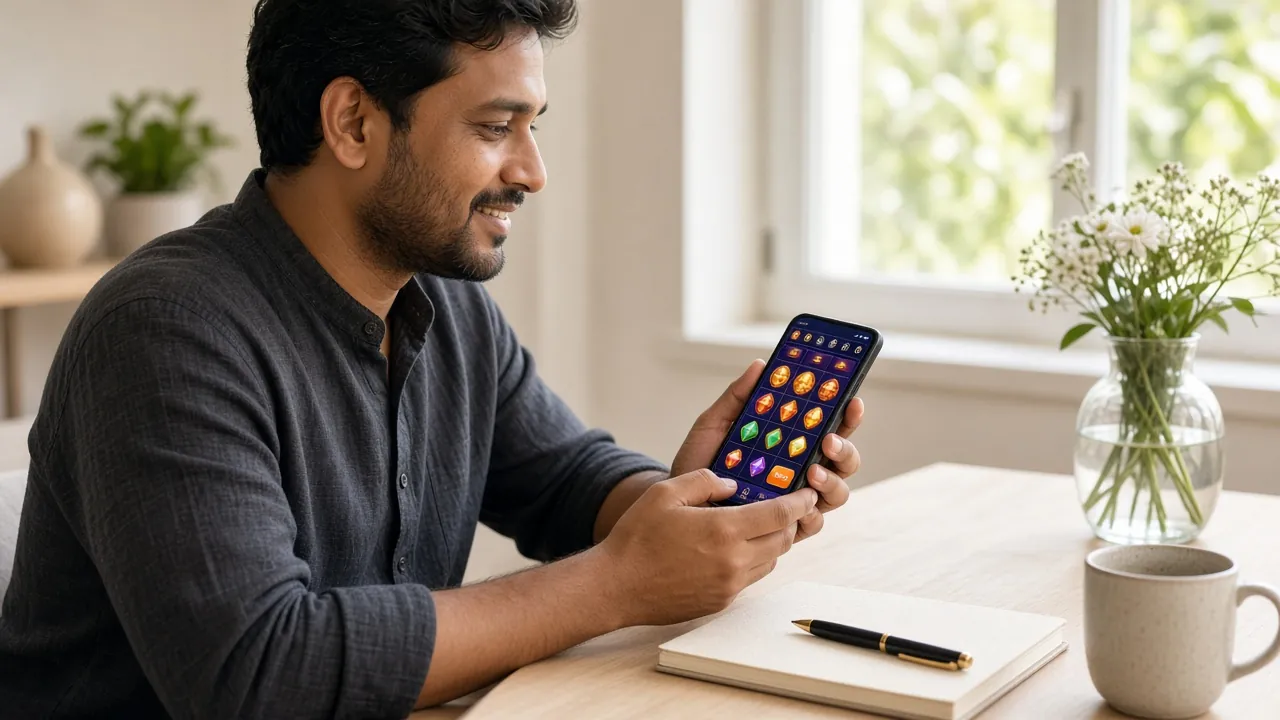
How to Install the wg8 APK on Android
Android blocks unknown sources by default — that's normal. The steps below walk you through enabling it once, downloading the wg8 APK, and finishing the install. The whole process takes about two minutes.
Allow Unknown Sources
Go to Settings → Security → Install Unknown Apps (or "Special App Access" on some phones). Toggle on permission for your browser app (Chrome, Firefox, etc.). This one-time change lets Android accept APK files from outside the Play Store.
Download wg8 APK
Tap the "Download APK" button on this page. Your browser will download wg8.apk (52 MB). Wait for the download bar to complete — on a standard Bangladeshi 4G connection this usually takes 20–40 seconds.
Open the APK File
Pull down your notification shade and tap "wg8.apk – Open", or open your Downloads folder and tap the file. Android will show an install screen. Review the permissions listed (storage and network access only), then tap Install.
Launch & Log In
Once installed, tap Open or find the wg8 icon on your home screen. Log in with your existing wg8 account. New player? Tap "Register" inside the app and complete sign-up in under three minutes.
Deposit & Play
Go to Account → Deposit, choose bKash or Nagad, and send ৳300 or more. Funds appear within 1 minute. You are now ready to explore 2,000+ games, live tables, and cricket markets directly from your phone.
iOS Users – Add wg8 to Your Home Screen
Apple does not allow third-party APKs. Instead, you can pin the wg8 website as a home-screen app using Safari. It behaves like a native app once saved.
-
1
Open in Safari
Open https://wg8.fun in Safari on your iPhone or iPad. Other browsers (Chrome, Firefox) do not support the "Add to Home Screen" feature on iOS.
-
2
Tap the Share Icon
Tap the Share button (the box with an arrow pointing up) at the bottom of the Safari toolbar. Scroll down the share sheet until you see the option.
-
3
Select "Add to Home Screen"
Tap "Add to Home Screen". Edit the name to "wg8" if you prefer, then tap Add in the top-right corner.
-
4
Open the App Icon
The wg8 icon now appears on your home screen. Tap it — it opens full-screen without the Safari address bar, giving you a near-native experience on iPhone and iPad.
System Requirements & Version Info
Check the table below before downloading. The wg8 app is built for modern Android devices — most phones made after 2018 will run it without issues.
| Item | Details |
|---|---|
| App Version | 2.7.18 |
| File Name | wg8.apk |
| File Size | 52 MB |
| Minimum Android Version | Android 6.0 (Marshmallow) and above |
| Last Updated | 3 November 2026 |
| Price | Free |
| Languages | English, Bangla |
| iOS Support | Via Safari "Add to Home Screen" (no APK needed) |
| Permissions Required | Internet access, storage read/write (for cache), notification (optional) |
Recommended: Android 9 or later with at least 2 GB RAM for the smoothest live casino experience. Older devices may experience slower video streaming on some live dealer tables.
wg8 App vs Web Browser – Which One to Use?
Both versions give you the full game library and the same account balance. The differences come down to convenience features — push notifications, speed, and offline access.
| Feature | wg8 App (APK) | Mobile Browser |
|---|---|---|
| Push notifications for match starts | Yes | No |
| One-tap login (biometric / PIN) | Yes | No |
| Offline game lobby browsing | Cached tiles | Requires connection |
| Live casino video quality | Optimised adaptive | Standard stream |
| bKash / Nagad deposit flow | In-app redirect | Browser redirect |
| Full game library (2,000+ games) | Full access | Full access |
| Auto-update to new versions | In-app prompt | Always latest |
| Screen space (no browser bar) | Full screen | Browser toolbar visible |
| Requires installation | One-time APK install | No install needed |
The app is the better choice for regular players. If you are trying wg8 for the first time, the browser version works fine — create your account first, then download the app later.
Security & Permissions
The wg8 APK requests only the minimum permissions needed to function. Your financial data stays encrypted and is never stored on your device.
SSL Encryption on All Traffic
All communication between the wg8 app and our servers uses TLS 1.3. Your login credentials, transaction amounts, and account details are encrypted end-to-end — not visible on shared Wi-Fi or mobile networks.
Verified APK – No Malware
The APK at /download/wg8.apk is served directly from wg8 servers and signed with our official key. If you downloaded from a third-party site, delete it and re-download from this page to ensure you have the genuine file.
Minimal Device Permissions
The app requests internet access (required to play), local storage for game cache (improves load speed), and optional notification permission. It does not access your contacts, camera, microphone, or location at any point.
Account & Payment Safety
Enable two-step verification in Account Settings for extra protection. KYC (National ID, Passport, or Driving Licence) is required before your first withdrawal — this protects your account from unauthorised withdrawals. Review the full KYC guide for details.
Common Install Problems & Fixes
Most install errors have a simple cause. Check the table below before contacting support.
| Problem | Likely Cause | Fix |
|---|---|---|
| "Install blocked" message | Unknown Sources not enabled for your browser app — Android's default security setting blocks APKs from outside the Play Store until you grant permission once. | Go to Settings → Security → Install Unknown Apps and toggle on your browser (Chrome, Firefox). Then retry the installation from your Downloads folder. |
| "App not installed" error | An older version of wg8 is already on the device, or the APK file was corrupted during download (connection dropped mid-way). | Uninstall any existing wg8 app, delete the old APK from Downloads, and re-download the file from this page. Ensure your connection stays on during the 52 MB download. |
| APK download fails immediately | Some mobile browsers or network firewalls block direct .apk file downloads from non-Play Store domains. | Switch to Chrome or the Samsung Internet browser. If on Wi-Fi, try switching to mobile data (4G). Some corporate or university Wi-Fi networks block APK downloads by policy. |
| App crashes on launch | Android version is below 6.0, or the phone has under 500 MB of free internal storage when the app tries to create its cache folder. | Check your Android version in Settings → About Phone. Free up storage by deleting unused apps or media. Android 9+ with 2 GB RAM is recommended for a smooth experience. |
| Games don't load inside the app | Unstable internet connection, or the app needs an update. Game providers require a consistent data stream — slow 2G connections cause timeouts. | Connect to a stable 4G or Wi-Fi network. Check for an in-app update prompt under Account → App Version. If the issue persists, contact 24/7 Live Chat via the Help icon. |
Games You Can Play in the App
View full casinoThe entire wg8 game library is available in the app — the same titles, RTPs, and bet limits as the desktop version. Here are a few highlights from the current lobby.


Get the wg8 App Now
One download, full access. The wg8 app is the fastest way to play cricket betting, live casino, and slots on your Android phone in Bangladesh.
- Version 2.7.18 · Updated 3 Nov 2026 · 52 MB · Free
- Works on Android 6.0 and above — most phones made after 2018
- Deposit via bKash or Nagad — funds clear in 1 minute, minimum ৳300
- 24/7 Live Chat support available directly inside the app
Frequently Asked Questions
Common questions about downloading and using the wg8 app in Bangladesh.
Is the wg8 APK safe to install?
Yes. The APK hosted at /download/wg8.apk is the official file signed by wg8 and served from our own servers. It requests only internet access and optional local storage — no access to your contacts, camera, or location. For extra peace of mind, scan the downloaded file with any Android antivirus app before installing. Always download from this page, not third-party sites.
Why does Android say "Install blocked" when I try to install?
Android blocks APK files from outside the Play Store by default — it is a security feature, not an error. You need to grant "Install Unknown Apps" permission to your browser (Chrome, Samsung Internet, etc.) once. Go to Settings → Security → Install Unknown Apps, select your browser, and toggle it on. After installing wg8, you can turn the setting off again if you prefer.
How do I update the wg8 app when a new version is released?
The app checks for updates automatically each time you open it. When a new version is available, you will see an in-app prompt asking you to download the latest APK. Tap "Update Now" and the process is identical to the first install — takes about 1–2 minutes. You can also return to this page and download the latest file manually at any time. Your account and balance are not affected by updates.
Can I use the wg8 app on an iPhone or iPad?
Apple does not allow APK installs on iOS devices. However, you can access the full wg8 platform through Safari and pin it to your home screen using the "Add to Home Screen" option in the Share menu. This creates a full-screen shortcut that works like an app. See the iOS section above for step-by-step instructions. All games, deposits, and withdrawals work the same way.
Do I need to create a new account for the app?
No. If you already have a wg8 account, just log in with your existing username and password. Your balance, bonuses, and game history carry over automatically. If you are new to wg8, you can register directly inside the app — tap "Register" on the login screen and complete sign-up in under three minutes. You can also register on the website first, then log in on the app.
What is the minimum deposit in the wg8 app, and which payment methods are accepted?
The minimum deposit is ৳300. The app supports bKash, Nagad, Rocket, and Upay. Deposits clear within 1 minute. For withdrawals, the minimum is ৳1,000 and funds arrive within 10 minutes. The daily withdrawal limit is ৳1,00,000. Full details are in our Deposit Guide and Withdrawal & KYC Guide.
The app installed but games won't load — what should I do?
Game loading issues are almost always caused by a weak internet connection. Switch from 2G or edge to 4G, or connect to a stable Wi-Fi network. If the connection is fine, check for an app update under Account → App Version. Clear the app cache in Android Settings → Apps → wg8 → Storage → Clear Cache. If games still do not load, contact 24/7 Live Chat via the Help icon inside the app.
Related Pages
- 18+ Only
- SSL Encrypted
- 24/7 Support
- bKash & Nagad
- Android 6.0+
- Free APK
18+ · Play Responsibly. Gambling involves risk. Only play with money you can afford to lose.